> ## Documentation Index
> Fetch the complete documentation index at: https://docs.usehatchapp.com/llms.txt
> Use this file to discover all available pages before exploring further.
# Audience Builder: Source Picker
> This article will outline what the Source Picker is and what it is used for
When building an Audience, we start with the broadest category of information and gradually get more specific. This begins with the broadest category of the data within Hatch, the Source.
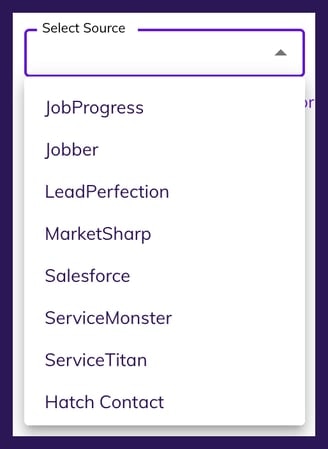
### Example of the Source Picker
When you click the Source Picker drop-down, you will see a list of all data sources that at least one contact has in your Hatch account.
**Hatch Contact** will always exist and will allow you to search for things like Name, Phone, Email, and other data that is associated to a Hatch Contact.
 ### Common Contact Sources
#### CRM Integration
### Common Contact Sources
#### CRM Integration
 If you are looking for contacts from your CRM, you will see the source name listed *.*
If you have a CRM that is handled by the Data Team, the source will be *CSV Import*.
#### Lead Source
If you are looking for contacts from your CRM, you will see the source name listed *.*
If you have a CRM that is handled by the Data Team, the source will be *CSV Import*.
#### Lead Source
 #### CSV Import
 #### Hatch Contact
 While all other sources listed are *external* sources of data, the **Hatch Contact** selection allows you to query core attributes of a Hatch Contact (screenshot below).
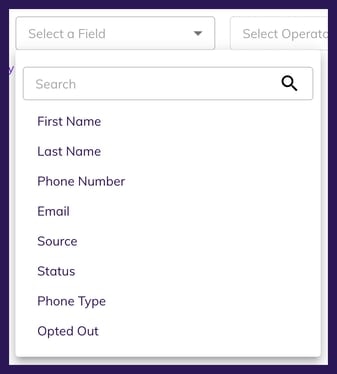 Once you've selected a source, the next option that will become available is to select from a list of fields that exist for the chosen source. This will be covered in the Audience Builder: Field Picker article.