> ## Documentation Index
> Fetch the complete documentation index at: https://docs.usehatchapp.com/llms.txt
> Use this file to discover all available pages before exploring further.
# Suggested Responses
> Save repetitive messages as a suggested responses for your team. Add new responses from Workspace Settings.
### **How it works**
1. Decide as a team how you would like to respond to certain messages. We often see message templates for things like **Pricing or Timing Objections** , **Not Interested** , or **Quick Follow Up**. If you're frequently sending the same hyperlink to customers, suggested responses are a good place to store it.
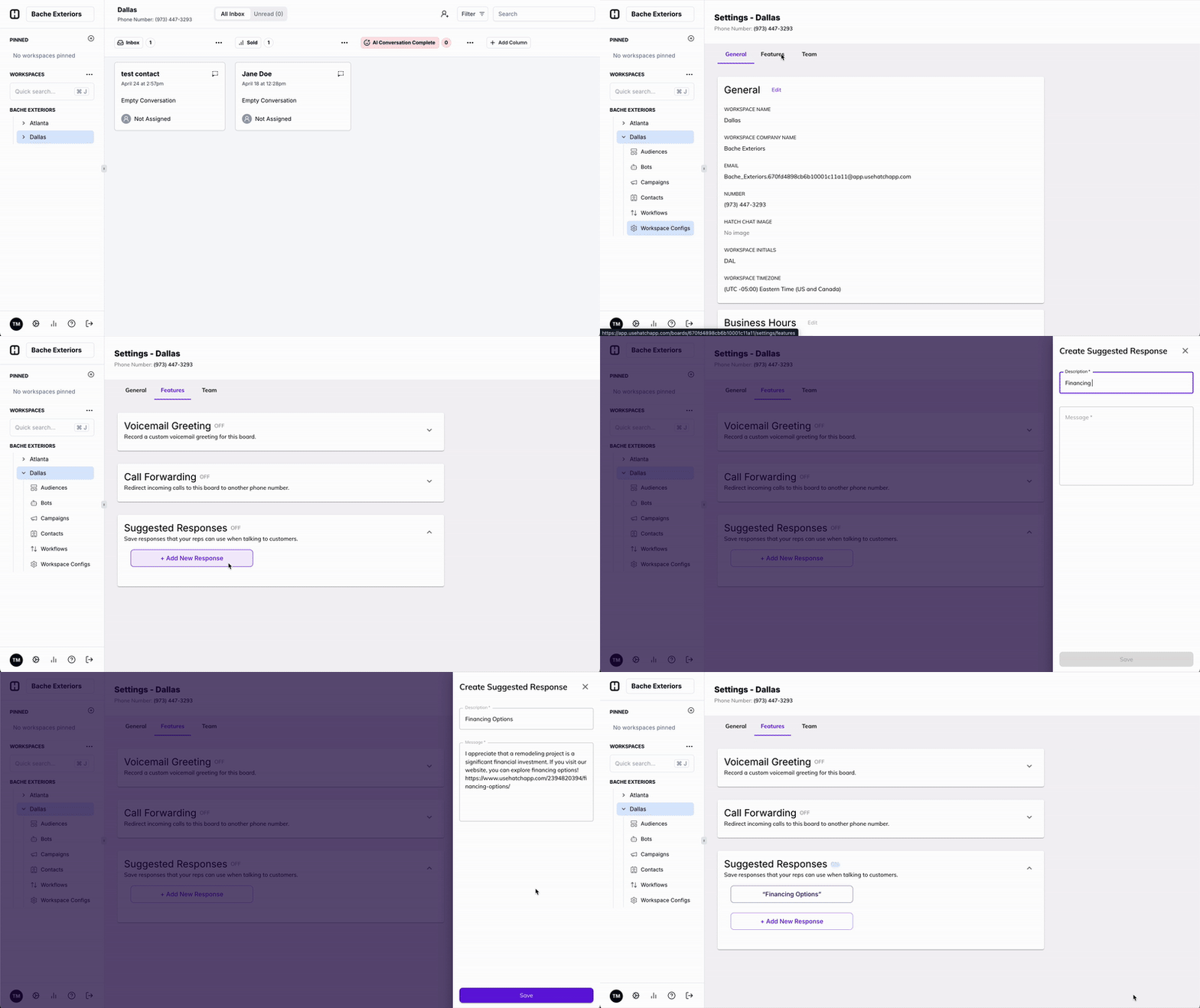
2. Add **a** **new response or edit a previously written response** from Workspace Settings under the **Features Tab**. Give it a title that will make it easily identifiable, and then add the message you'd like to save time by filling in automatically.
 3\. When crafting a message from inside a contact card, write a message from scratch or use one of your new suggested responses.
**
3\. When crafting a message from inside a contact card, write a message from scratch or use one of your new suggested responses.
** **
**When to Use Suggested Responses**
You can add as many suggested responses as you want within your workspace.
We have found that our customers add message templates for the following reasons:
1. You find your team sending the same message over and over
2. To build consistency in messaging amongst team members
3. To save time from having to write messages / hyperlinks out manually
**
**When to Use Suggested Responses**
You can add as many suggested responses as you want within your workspace.
We have found that our customers add message templates for the following reasons:
1. You find your team sending the same message over and over
2. To build consistency in messaging amongst team members
3. To save time from having to write messages / hyperlinks out manually