 ## What you can do
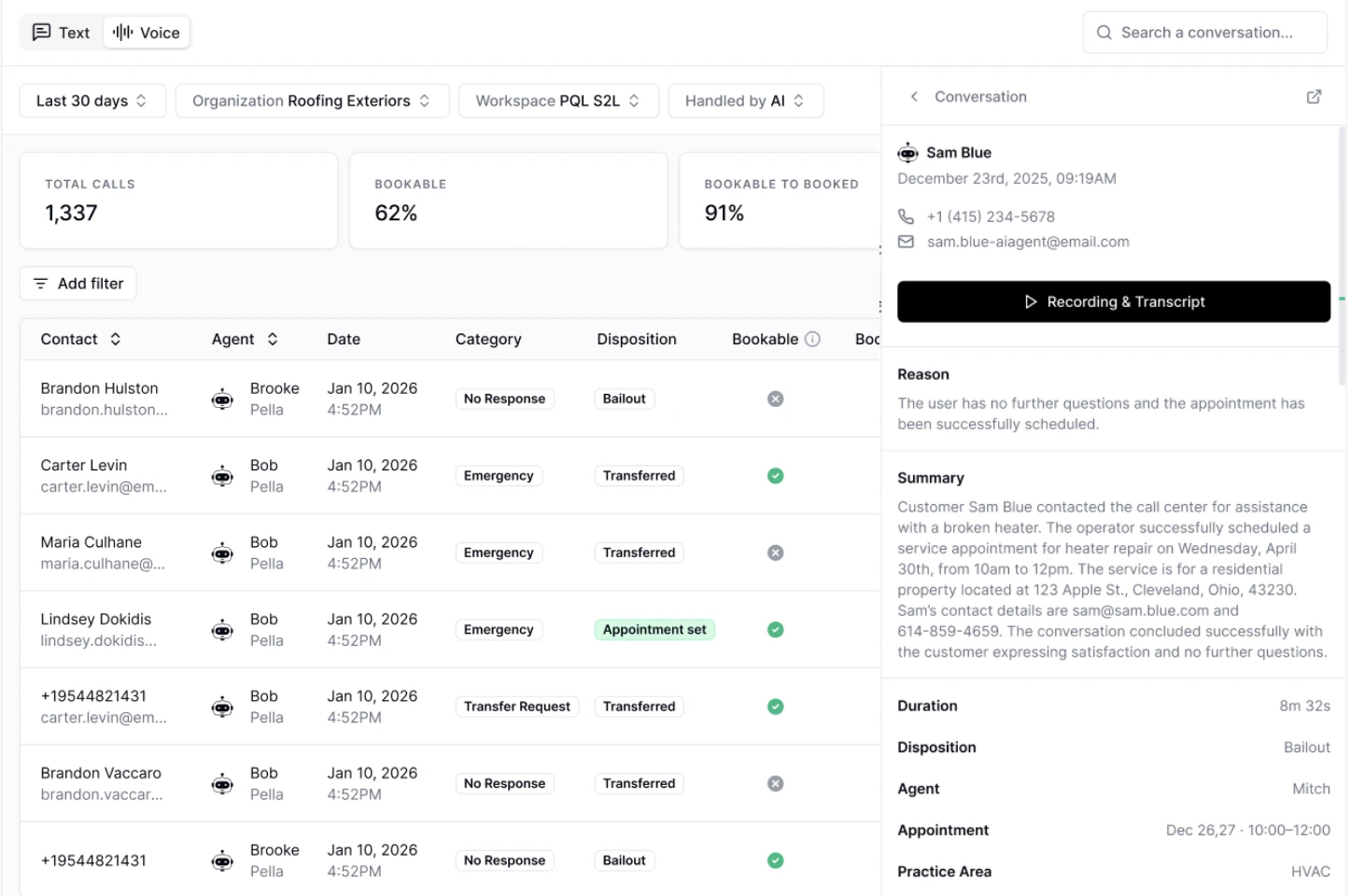
* Track booking performance across all inbound Voice AI calls
* Identify missed opportunities where calls could have resulted in bookings
* Understand caller intent and common request types
* Audit conversations quickly with summaries, recordings, and key metrics
**How it works:**
* All analysis is powered automatically after each call, giving you near real-time insights into performance.
* We filter out Spam calls from the aggregate metrics.
* In the future, we'll add the ability to manually override any values and filter down to specific metrics.
***
## Navigation
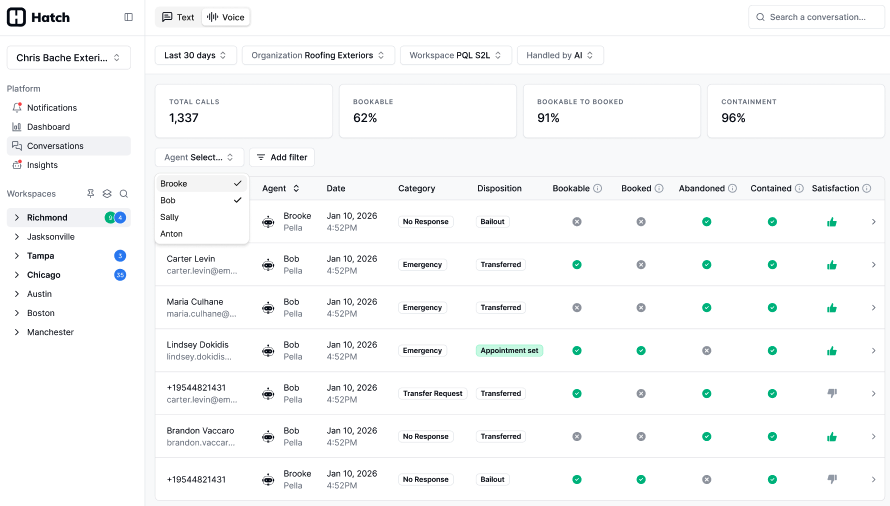
* Go to Conversations in the left-hand sidebar
* Go to the Voice tab. Make sure the Agent Type filter is set to "Chatbot"
## What you can do
* Track booking performance across all inbound Voice AI calls
* Identify missed opportunities where calls could have resulted in bookings
* Understand caller intent and common request types
* Audit conversations quickly with summaries, recordings, and key metrics
**How it works:**
* All analysis is powered automatically after each call, giving you near real-time insights into performance.
* We filter out Spam calls from the aggregate metrics.
* In the future, we'll add the ability to manually override any values and filter down to specific metrics.
***
## Navigation
* Go to Conversations in the left-hand sidebar
* Go to the Voice tab. Make sure the Agent Type filter is set to "Chatbot"
 ***
## Key metrics
Each call is analyzed and categorized to help you evaluate performance:
**Definitions:**
***
## Key metrics
Each call is analyzed and categorized to help you evaluate performance:
**Definitions:**
The caller’s primary intent during the call.
Possible values: Schedule Service, Reschedule, Appointment Confirmation, Emergency, Technical Support, Billing Inquiry, Warranty, Cancellation, Quote Request, Transfer Request, Follow Up, Complaint, General Question, Spam, No Response, Other.