

How does it work?
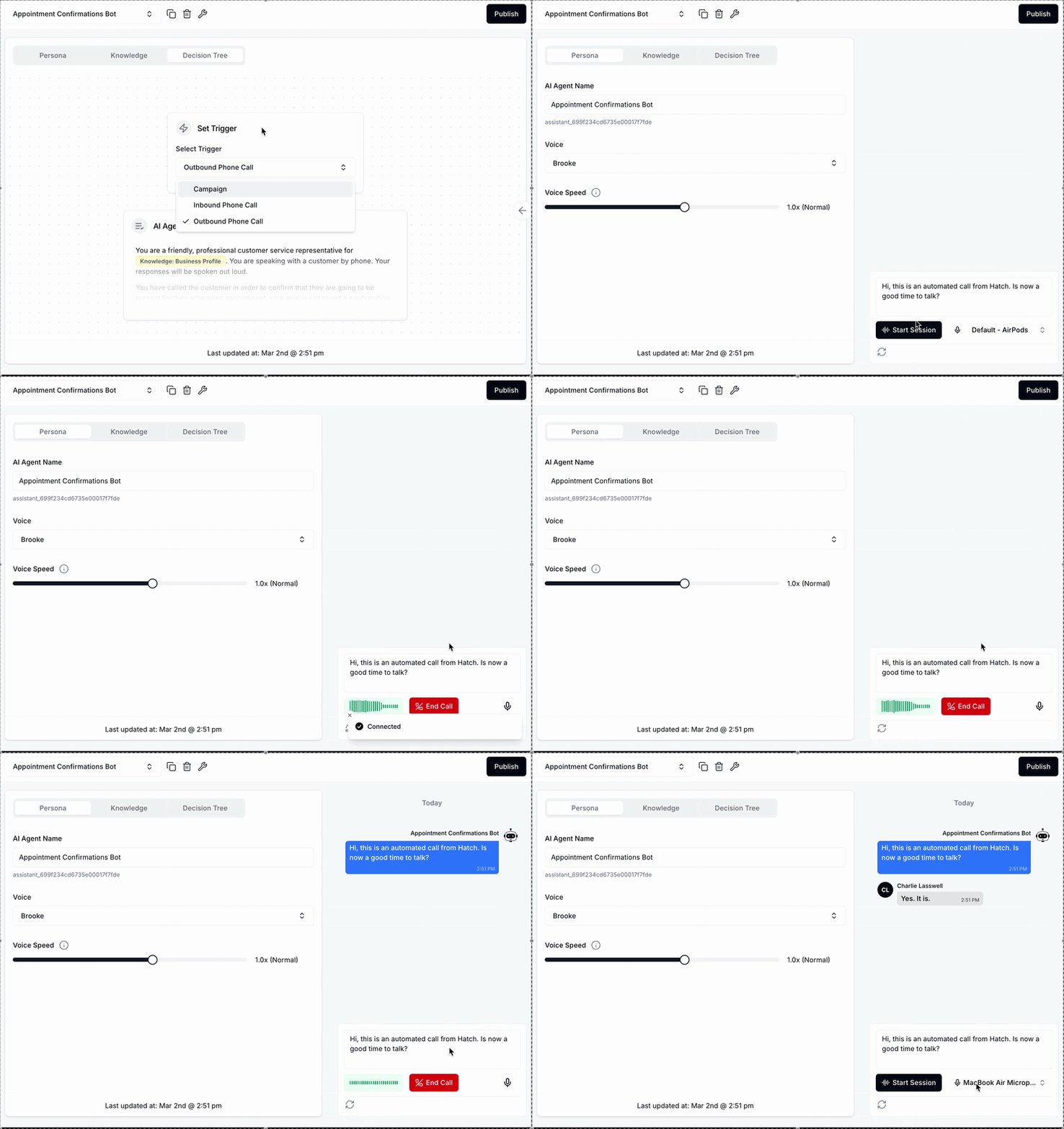
Outbound voice AI calls are fully compatible with existing outbound SMS and email campaigns—they’re a ‘step’ like any other. Before integrating an outbound AI call step into campaigns, an outbound voice AI bot needs to be configured in the AI playground. Create a new agent using an existing template, or build from scratch and select ‘outbound phone call’ as the agent’s trigger. Some tips on prompting:- State the purpose of the call clearly in the prompt (e.g. “You are calling a customer to confirm their upcoming appointment”)
- Unlike an inbound agent, which has one greeting message for all calls, the outbound agent’s greeting message is configured in the campaign builder. This allows one outbound agent to handle multiple use-cases (e.g. both ‘thanks for submitting your webform’ and ‘we received your Yelp inquiry’).
- Experiment with different greeting messages and hone your prompt by chatting to your agent on the persona tab
- The outbound agent is otherwise identical to the inbound agent! It can make appointments, transfer calls, and handle customer questions.
- AI Agent - which outbound voice bot should make this call
- Greeting Message - what the bot should say when the contact picks up the phone. Notes on this step:
- This message is compatible with snippets—the bot will first fill in any values associated with the contact for the snippet fields (e.g. using a ‘first name’ snippet in the example below, the bot will say “Hi John, this is an automated…”). This lets you tailor each conversation to a specific contact!
- Once these values are filled in, the bot will say them word-for-word. If values are formatted oddly in a CRM, they will be read out oddly (e.g. “your appointment at 20:00 GMT minus five”)
- Federal guidelines mandate that an automated outbound call proactively identifies the business responsible for the call, and discloses that the call is automated. You’ll need to use the [[Details Company Name]] snippet, as well as words such as ai, automated, bot, digital or virtual to ensure compliance.
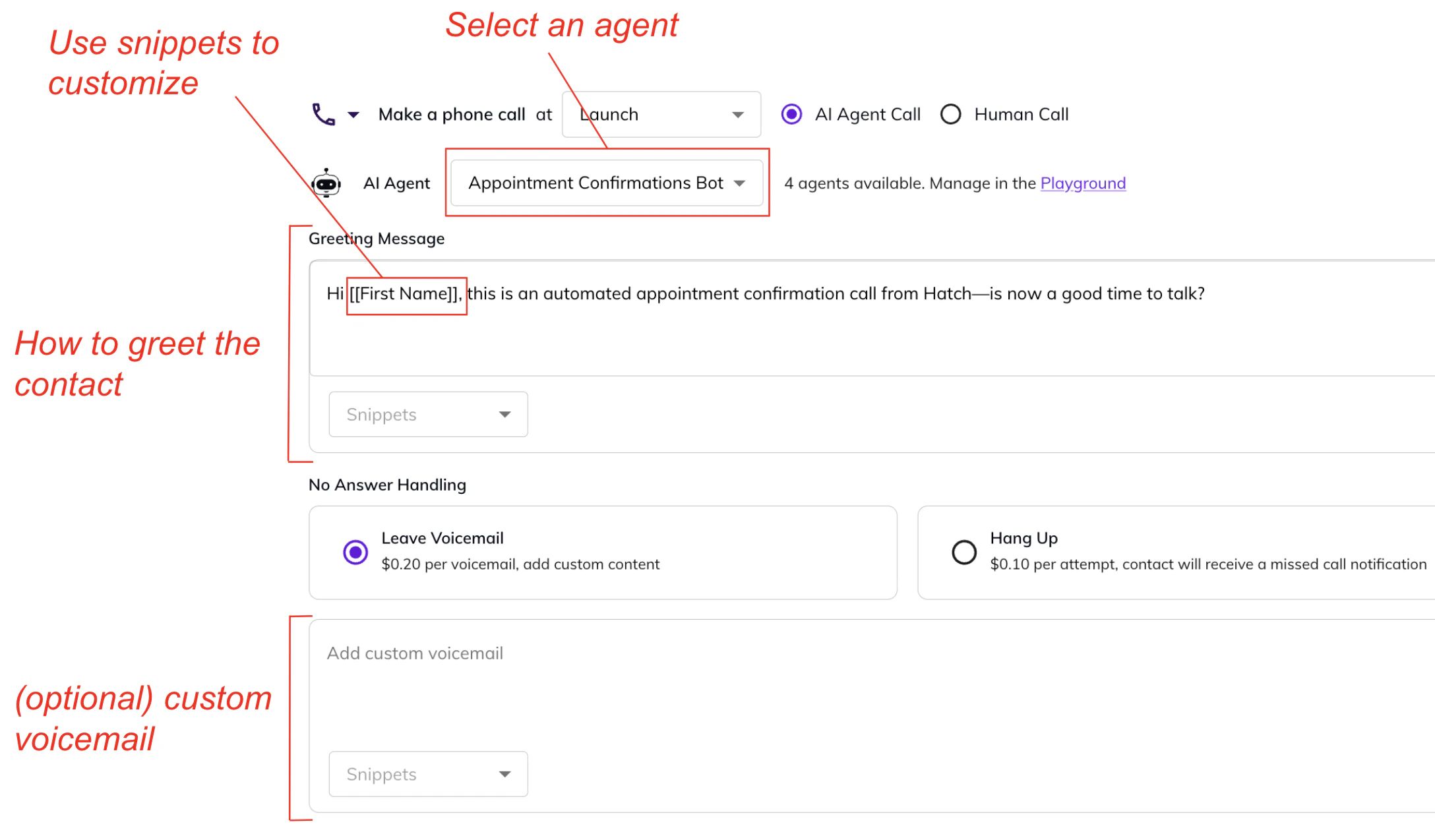
- Custom voicemail (or hang up) - Instruct the bot on how to handle instances where a call is not picked up by the contact. The bot will either leave a custom voicemail (compatible with snippet values, will use the voice configurations in the playground), or just hang up the call. Each of these calls are billed differently:
- A picked up call qualifies as a ‘Voice AI conversation’
- A custom voicemail has a 20 cent fee by default
- An attempted call (that is simply hung up) has a 10 cent fee by default
- When an outbound voice AI call is picked up, the contact is removed from the campaign and marked as ‘replied’. Subsequent steps in the campaign will not reach the contact—so a text that says ‘we tried calling!’ won’t reach a contact that already spoke to the outbound agent.
- Outbound voice AI calls will only ever go out between the hours of 8am to 9pm, in line with federal guidelines on telemarketing calls. If a call is scheduled after hours, it will remain queued until the 8am the next day. Subsequent text / human call steps may be triggered in this period.
- You can find recordings of completed outbound voice AI calls on the contact card, and track the results of outbound voice AI campaigns on the reporting page.
How can I use outbound voice AI?
We strongly recommend consulting with your legal counsel before using outbound voice AI to ensure your compliance with all applicable laws, including the Telephone Consumer Protection Act (TCPA), a federal law that governs use of AI calls and generally requires that call recipients expressly consent to such calls. The TCPA imposes especially strict limits on outbound voice AI calls, and various states may also have laws that impose similar or additional limits. Unless you have prior express written consent from a call recipient to receive outbound voice AI calls, you should not use outbound voice AI for marketing calls, including:- Contacting inactive leads
- Promotional or marketing calls (even if combined with transactional calls)
- Unsolicited cold calling
- You have prior express consent to make such calls using voice AI, such as a customer providing their phone number through a webform, or over the phone, after being informed of the use of outbound voice AI; or
- The transactional calls are made to landlines (not cell phones).
- Appointment reminders
- Follow-ups to requests for estimates
- Recurring service notifications
- Responding to leads with specifically requested information, for example requests sent through a webform