

Dashboard
Who is handling what, and how much of it is landing.
Voice AI Scorecard
How one Voice AI agent is performing, and why.
Conversations
The individual calls and threads behind the numbers.
The Dashboard
The Dashboard is your control center. It lists every agent in your organization across two tables — AI Agents and Human Agents — with conversation volume, success rate, and outcomes for each, updating in real time. It’s also where you see which of your AI agents are currently turned on or off.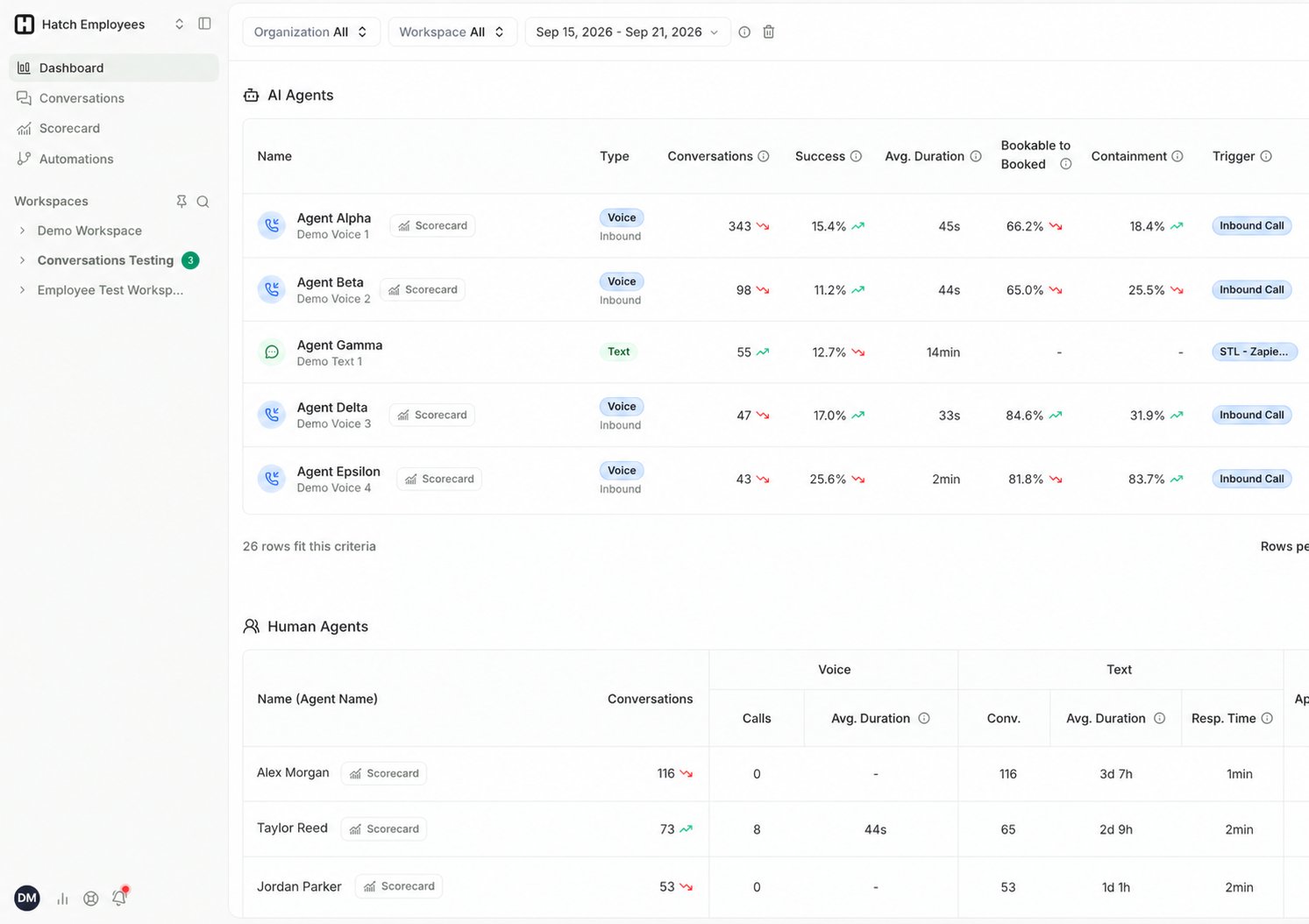
The Voice AI Scorecard
Click Scorecard on the Dashboard to open the Voice AI Scorecard for a single Voice AI agent. It breaks down booking performance, why bookable calls weren’t booked, where calls are being transferred, and what callers are ringing about — with drill-downs to the specific calls behind each figure.The Conversations page
The Conversations page is Hatch’s log of every conversation on the platform. Click any conversation to get a summary and more details.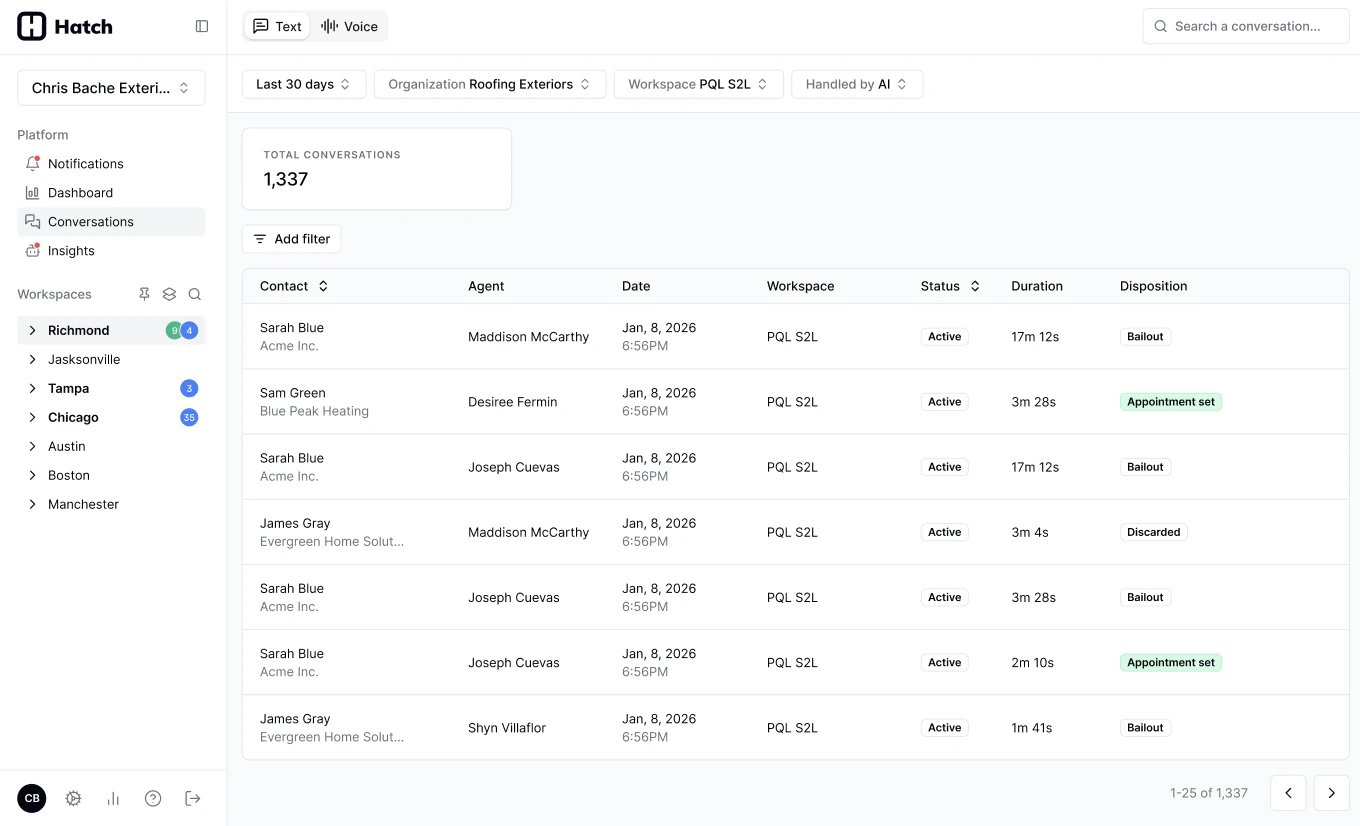
Related Articles
- Dashboard Overview: the Dashboard in detail.
- CSR and Agents Table: every column in the AI Agents and Human Agents tables.
- Voice AI Scorecard: per-agent Voice AI performance.
- Review your new AI Agent: where to start with a newly launched agent.
- Review Campaigns and SMS Performance: campaign, messaging, and attribution reporting.
- Access data in bulk from the Export API: export reporting datasets into your own analytics stack.