

Integration Overview
Hatch’s integration with Angi Leads allows your business to win the game of “speed to lead”. Through our integration, leads from Angi Leads are instantly pulled into Hatch and put into a Hatch campaign using text, email and voice communication.Angi Subscriptions follow the same integration process as Angi Leads. The setup instructions below apply to both Angi Leads and Angi Subscriptions.
Here’s how it works:
First, a contact fills out a lead form on Angi.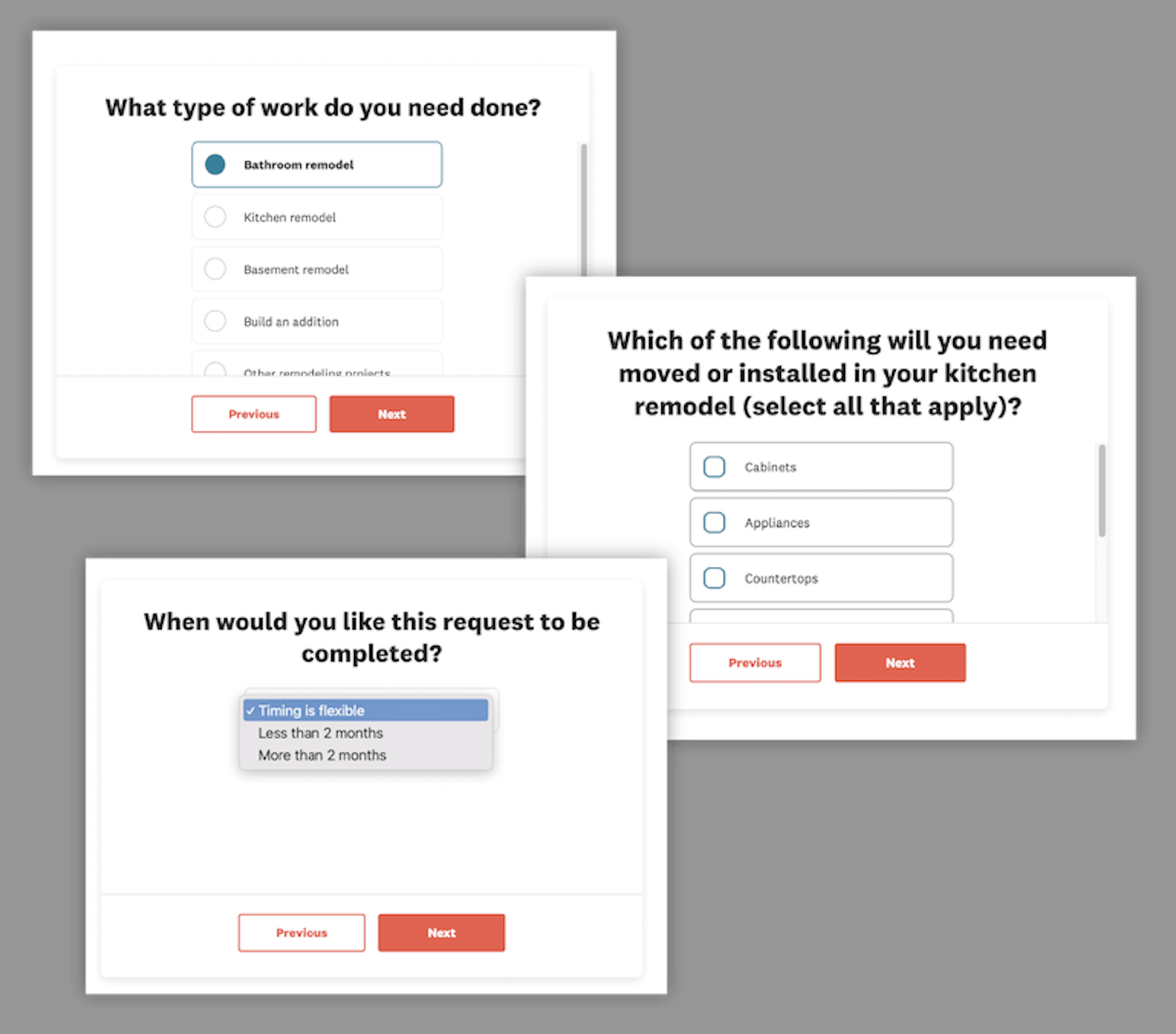
Here is an example of a form being filled out on Angie’s List.Once the form is submitted, Hatch receives that lead information and you can find those leads on your Contacts page. You can see all of the Lead details inside of the contact card.
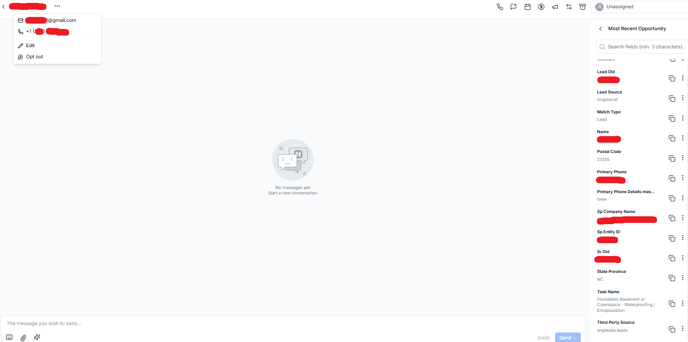
This is an example contact. You can see the “Source” comes over as “angileads:leads”. All fields collected on your lead form will be shown in Hatch including your SPID and the task name which may be useful for more targeted campaigns.For speed-to-lead, we recommend adding contacts instantly into a campaign within Hatch. The contact receives a message that looks like this:
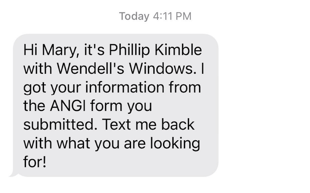
Here you can see the message Mary was sent after she filled out the lead form on Angie’s List.When the contact responds to the message, your Hatch user will be able to respond from their Board.
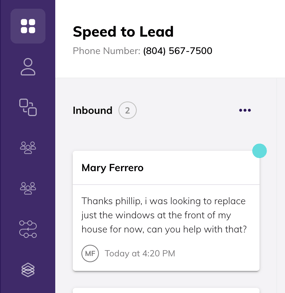
Here you can see the message Mary sent popped up on the Hatch Board.
Setup Instructions
The Angi integration is easy to activate, all you need is Hatch Manager permissions.- Visit the Hatch Integrations panel, it will bring you to the Hatch App Marketplace
- Click “configure” on the Angi app.
- In the configuration wizard, you will enter your Angi Leads SPID number(s). This is required in order to proceed to “Start Setup”, it helps the Angi team complete the request without delay or confusion.
- If you have more than one Angi Leads account, enter comma separated values in the text box
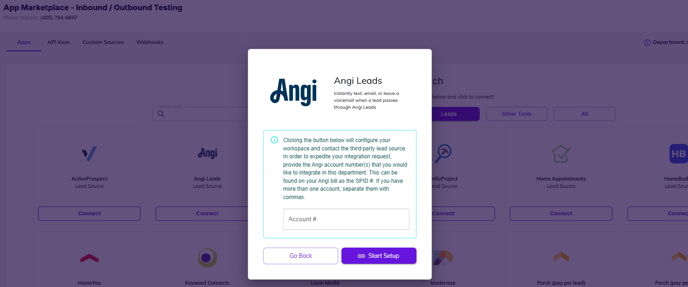
- If you have more than one Angi Leads account, enter comma separated values in the text box
- After clicking “Start Setup”, an email will be sent to the Angi team to enable the lead feed to Hatch. This email will contain the information to locate your account(s) and the necessary API Key.
- Additionally, a default Angi campaign, audience, and workflow will be created to help you get started.
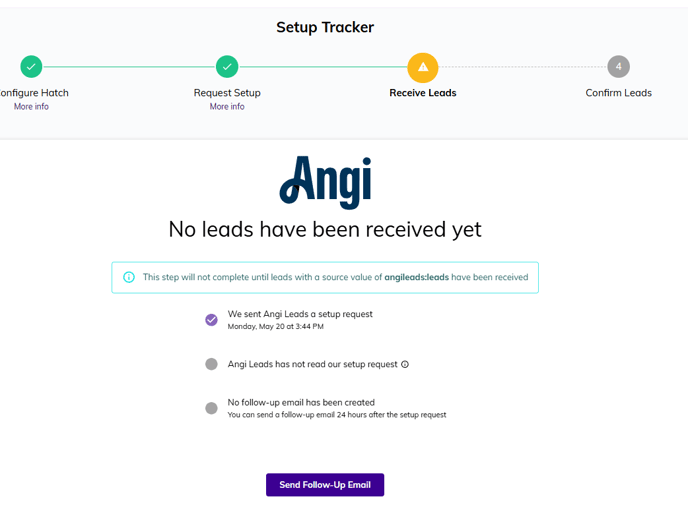
- The Angi app will record if/when a lead is received to confirm activation of the integration. If a lead has not been received within 24 hours, you can generate a follow-up request to Angi right from the app marketplace.
Frequently Asked Questions
Why is instant lead engagement important?
Why is instant lead engagement important?
Speed to Lead is extremely important when it comes to new leads. Learn more about Instant Lead Engagement here.
I'm using Angi Ads, will this integration work for me?
I'm using Angi Ads, will this integration work for me?
No, Angi Ads and Angi Leads are integrated separately for the time being. Please check out our Angi Ads help article for more detail on how to set that up.
How long does it take to get set up?
How long does it take to get set up?
Barring any issues locating your account, the integration is typically activated same day. Once activated, new leads will start importing into Hatch but you will need to turn on your Angi workflow for leads to start flowing into a Hatch campaign.
What other Instant Lead Engagement Integrations do you offer?
What other Instant Lead Engagement Integrations do you offer?
We offer lead engagement integrations with Modernize and more. To see the full list, check out our website.