

How it works
- Decide as a team how you would like to respond to certain messages. We often see message templates for things like Pricing or Timing Objections , Not Interested , or Quick Follow Up. If you’re frequently sending the same hyperlink to customers, suggested responses are a good place to store it.
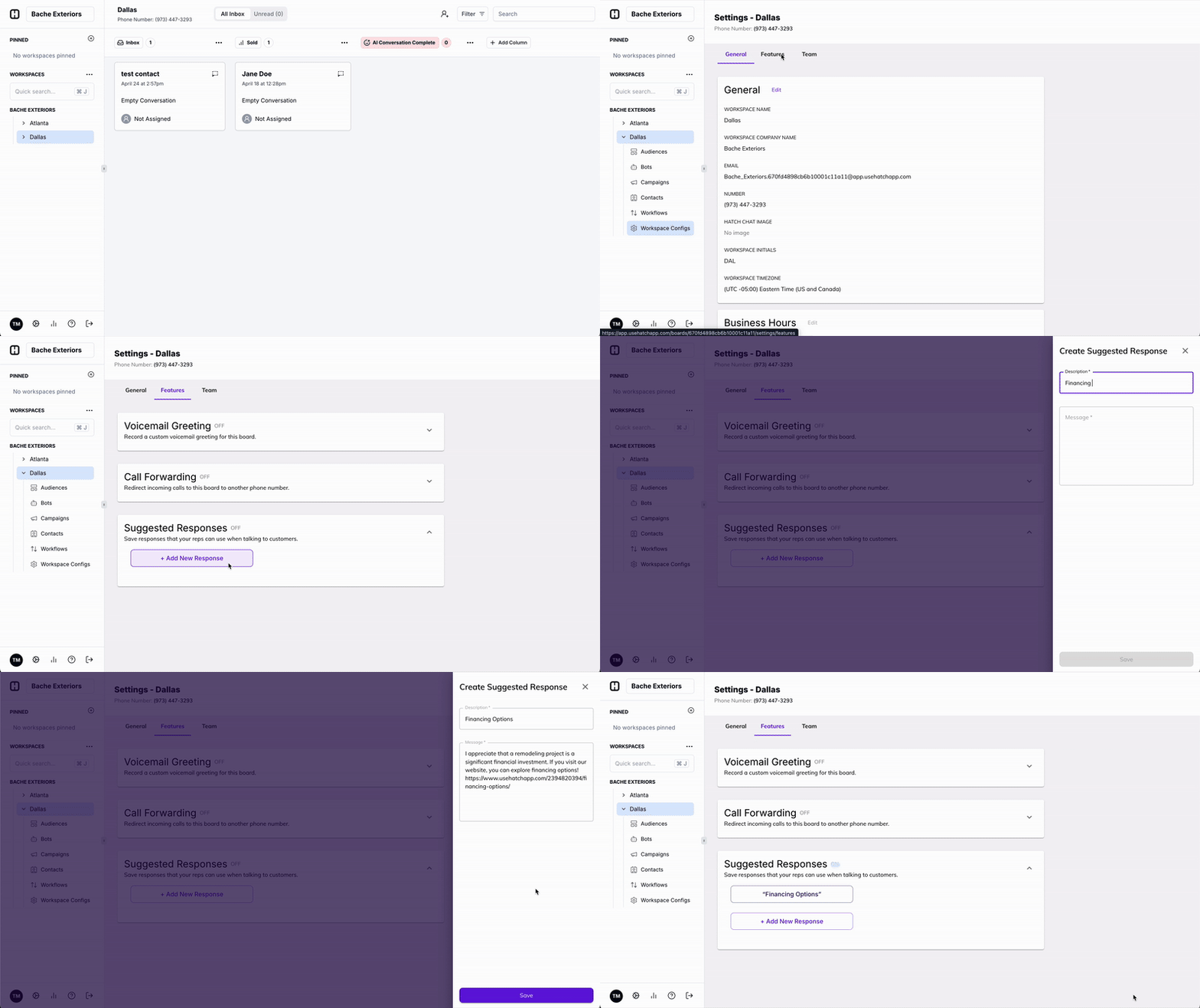
- Add a new response or edit a previously written response from Workspace Settings under the Features Tab. Give it a title that will make it easily identifiable, and then add the message you’d like to save time by filling in automatically.
 When to Use Suggested Responses
You can add as many suggested responses as you want within your workspace.
We have found that our customers add message templates for the following reasons:
When to Use Suggested Responses
You can add as many suggested responses as you want within your workspace.
We have found that our customers add message templates for the following reasons:
- You find your team sending the same message over and over
- To build consistency in messaging amongst team members
- To save time from having to write messages / hyperlinks out manually