

You must have Manager permissions to access the Holidays page.
What are Holidays in Hatch?
The Holidays tab in Account Settings lets you control which days Hatch treats as holidays. When a campaign is set to skip holidays, any message that would go out on an observed holiday gets pushed to the next eligible day instead. Holidays are set at the organization level, so they apply across all campaigns where Send on holidays is turned off.Finding Your Holiday List
Navigate to Account Settings → Holidays to see your full list of holidays. Each row shows the holiday name, when it falls each year (for example, “December 25” or “Fourth Thursday in November”), and whether it’s currently enabled. Any holidays your team has added manually will show a Custom Holiday badge next to the name. You can use the search bar at the top to filter by name if your list gets long.Federal Holidays
Hatch comes preloaded with all 11 US federal holidays for your organization. Thanksgiving and Christmas are enabled by default — the rest are included but turned off until you enable them.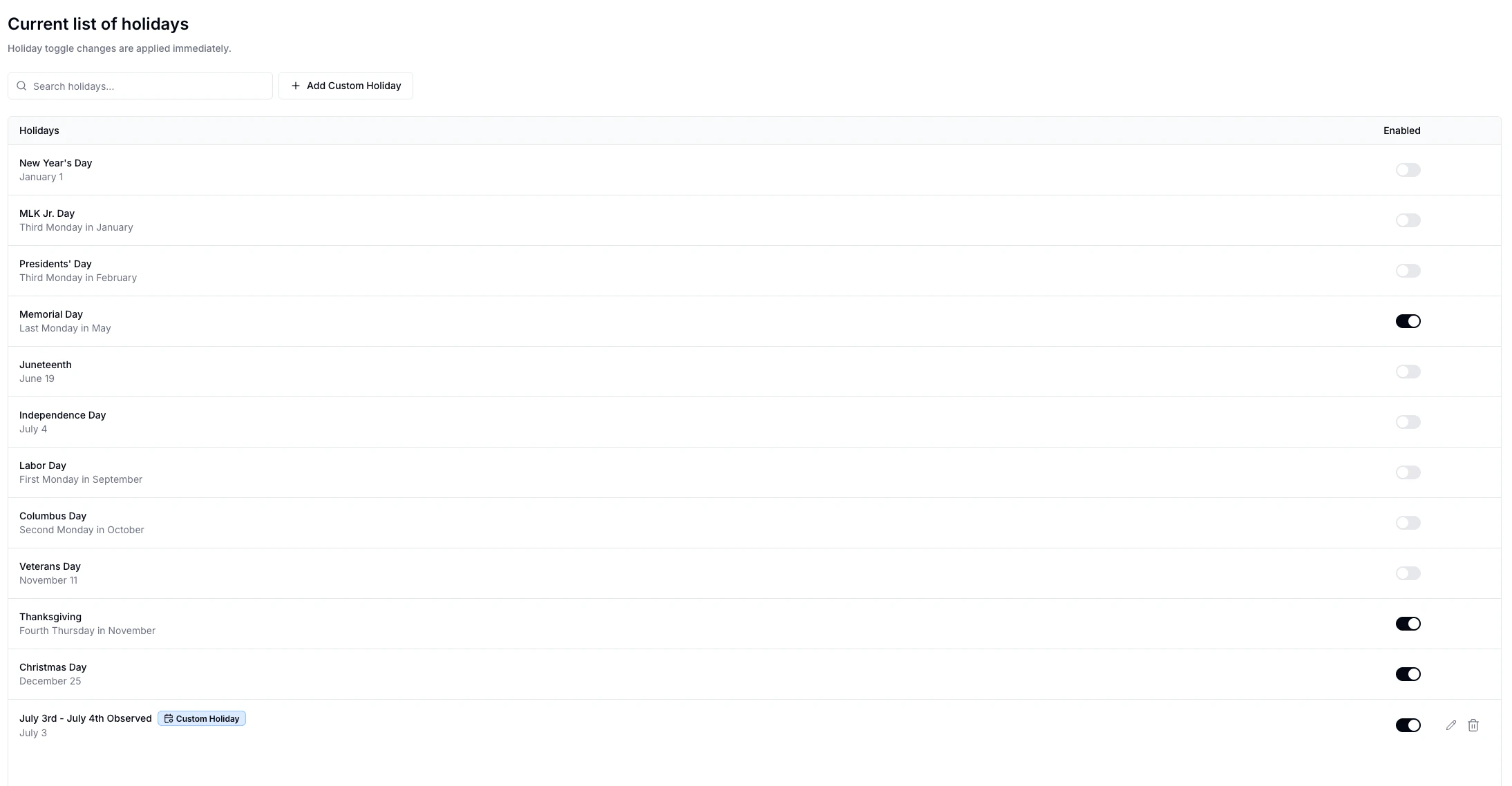
Enabling or Disabling a Holiday
Use the toggle in the Enabled column to turn any holiday on or off. Changes take effect right away — any pending messages that haven’t sent yet will automatically be rescheduled to reflect your updated holiday list.Enabling a holiday only affects campaigns where Send on holidays is turned off. If a campaign has Send on holidays turned on, it will send as normal regardless of this setting.
Adding a Custom Holiday
If you observe a holiday that isn’t on the federal list, you can add your own.- Click Add Custom Holiday.
- Enter a name.
- Pick a date — custom holidays are tied to a specific month and day each year (for example, always December 31).
- Toggle Enable Holiday on or off depending on whether you want it active right away.
- Click Save.
How This Connects to Campaigns
On each campaign, there’s a Send on holidays toggle in the Settings tab. Here’s how it works:- Send on holidays is on — the campaign sends messages on holidays as normal.
- Send on holidays is off — if a message would land on an observed holiday, Hatch moves it to the next available day that isn’t a holiday or weekend (based on the campaign’s weekend setting).