What you can do
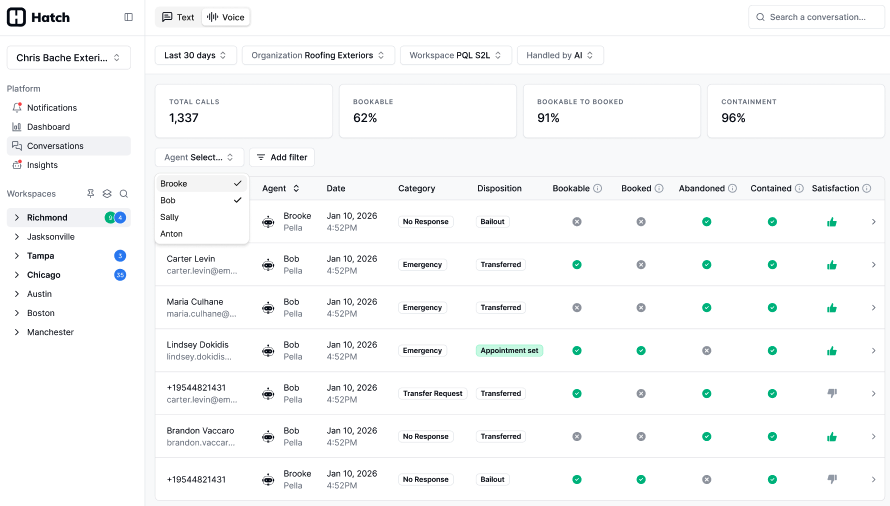
- Track booking performance across all inbound Voice AI calls
- Identify missed opportunities where calls could have resulted in bookings
- Understand caller intent and common request types
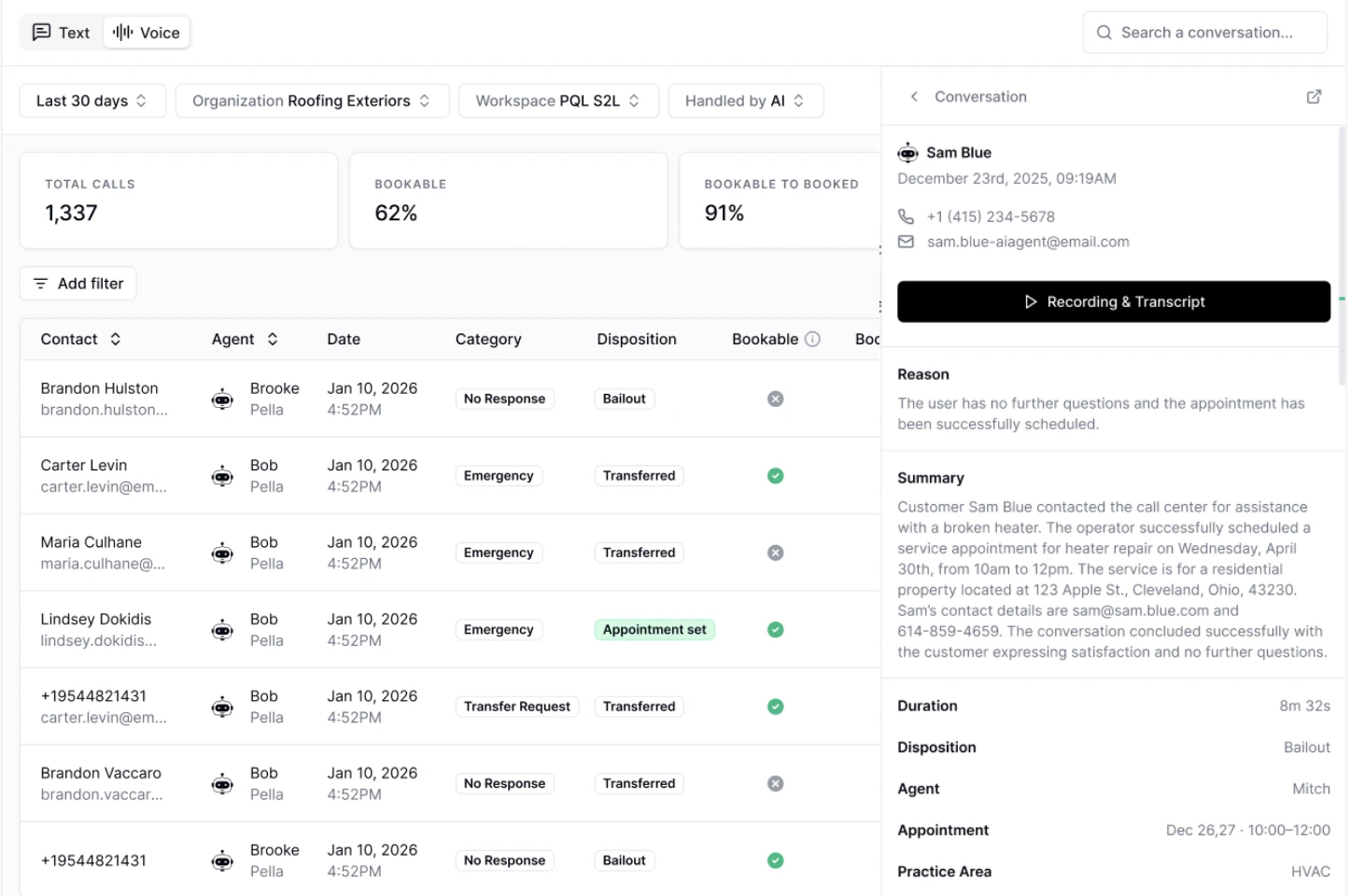
- Audit conversations quickly with summaries, recordings, and key metrics
- All analysis is powered automatically after each call, giving you near real-time insights into performance.
- We filter out Spam calls from the aggregate metrics.
- In the future, we’ll add the ability to manually override any values and filter down to specific metrics.
Navigation
- Go to Conversations in the left-hand sidebar
- Go to the Voice tab. Make sure the Agent Type filter is set to “Chatbot”
Key metrics
Each call is analyzed and categorized to help you evaluate performance: Definitions:Bookable to Booked
Bookable to Booked
The percentage of bookable calls where the AI successfully completed a booking.
Bookable
Bookable
Whether the caller expressed intent or willingness to book a service with the chatbot.
Booked
Booked
Whether the call resulted in a successful booking. If calendar is not setup, this will be based on the bot’s ability to confirm an appointment with the caller.
Satisfaction
Satisfaction
Whether the caller had a positive experience.
Abandoned
Abandoned
Whether the caller ended the call before reaching a resolution.
Request Category
Request Category
The caller’s primary intent during the call.
Possible values: Schedule Service, Reschedule, Appointment Confirmation, Emergency, Technical Support, Billing Inquiry, Warranty, Cancellation, Quote Request, Transfer Request, Follow Up, Complaint, General Question, Spam, No Response, Other.
Contained
Contained
Whether the call was fully handled by the AI or required a transfer. Contained calls were not transferred.
These are LLM-generated metrics, meaning they are not always deterministic. All KPIs on this page exclude irrelevant calls (spam or no response).
Call Review Made Easy
Click into any conversation to easily:- View a summary of the call
- See key metrics at a glance
- Listen to the call recording and review the full transcript
- Go directly to the Contact page